laravel-booking: Laravel booking package and self-hosted Calendly alternative
laravel-booking is a free, self-hosted Laravel booking package: an appointment scheduling widget that reads busy time from Google Calendar, Microsoft 365 or CalDAV and embeds with one script tag. It replaces Calendly or Zencal, runs on PHP 8.0+ and Laravel 9-13, and is MIT licensed with no database table required.
The demo runs the real widget in your browser against generated data: you can click through a whole booking, and nothing is booked or sent.
How do I install laravel-booking?
Install laravel-booking with Composer, publish its config file and paste one script tag where the widget should appear. The current version is 1.0.1, published on Packagist as zapol/laravel-booking.
composer require zapol/laravel-booking
php artisan vendor:publish --tag=booking-config
Then put the widget on any page:
<div id="booking-widget"></div>
<script src="https://your-app.tld/booking/widget.js" data-event-type="consultation" defer></script>
The package registers its service provider, routes (under /booking), views and translations by itself. You need PHP 8.0 or newer, Laravel 9, 10, 11, 12 or 13, a mail transport configured in your app and an account on at least one supported calendar provider.
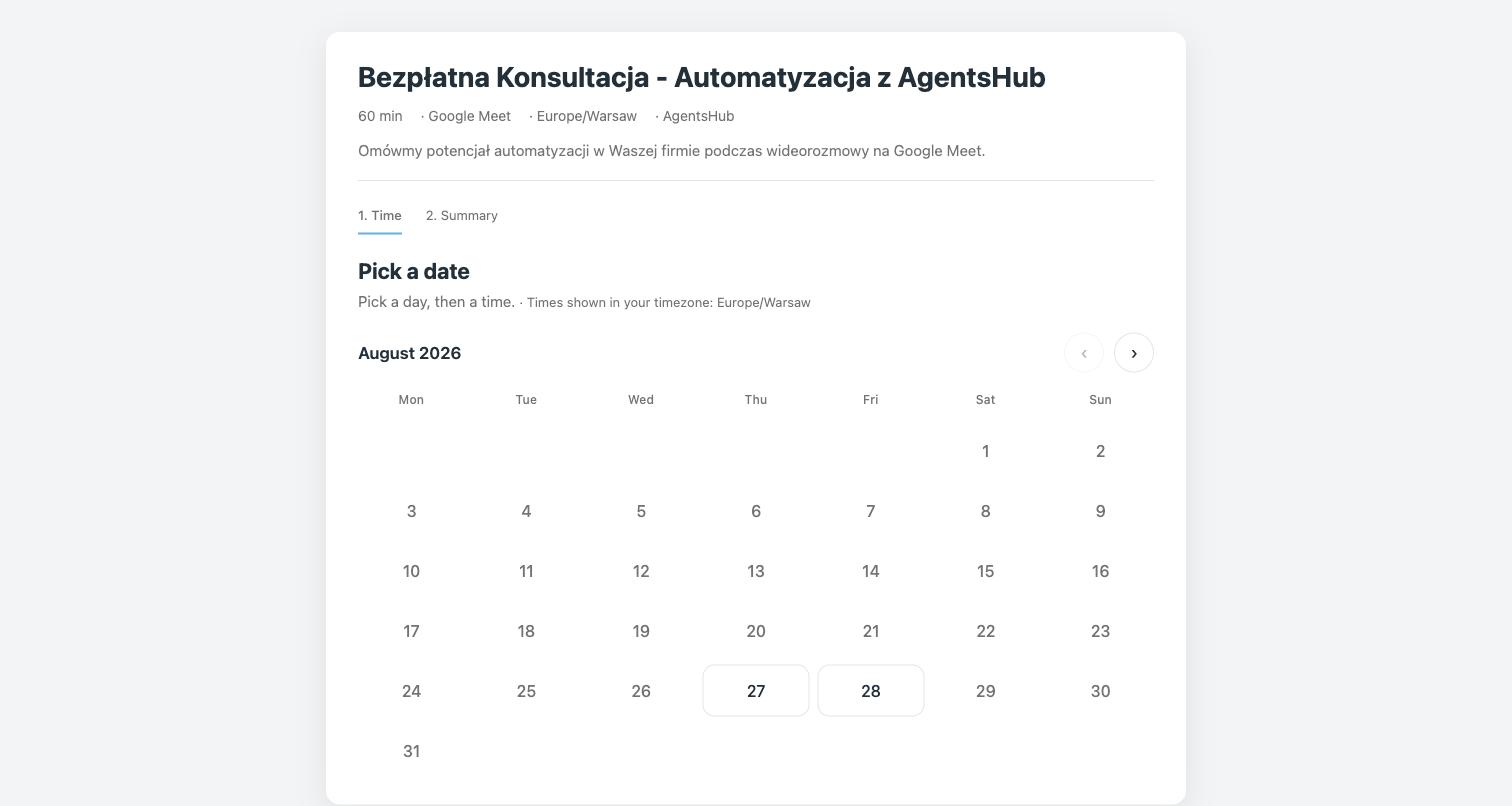
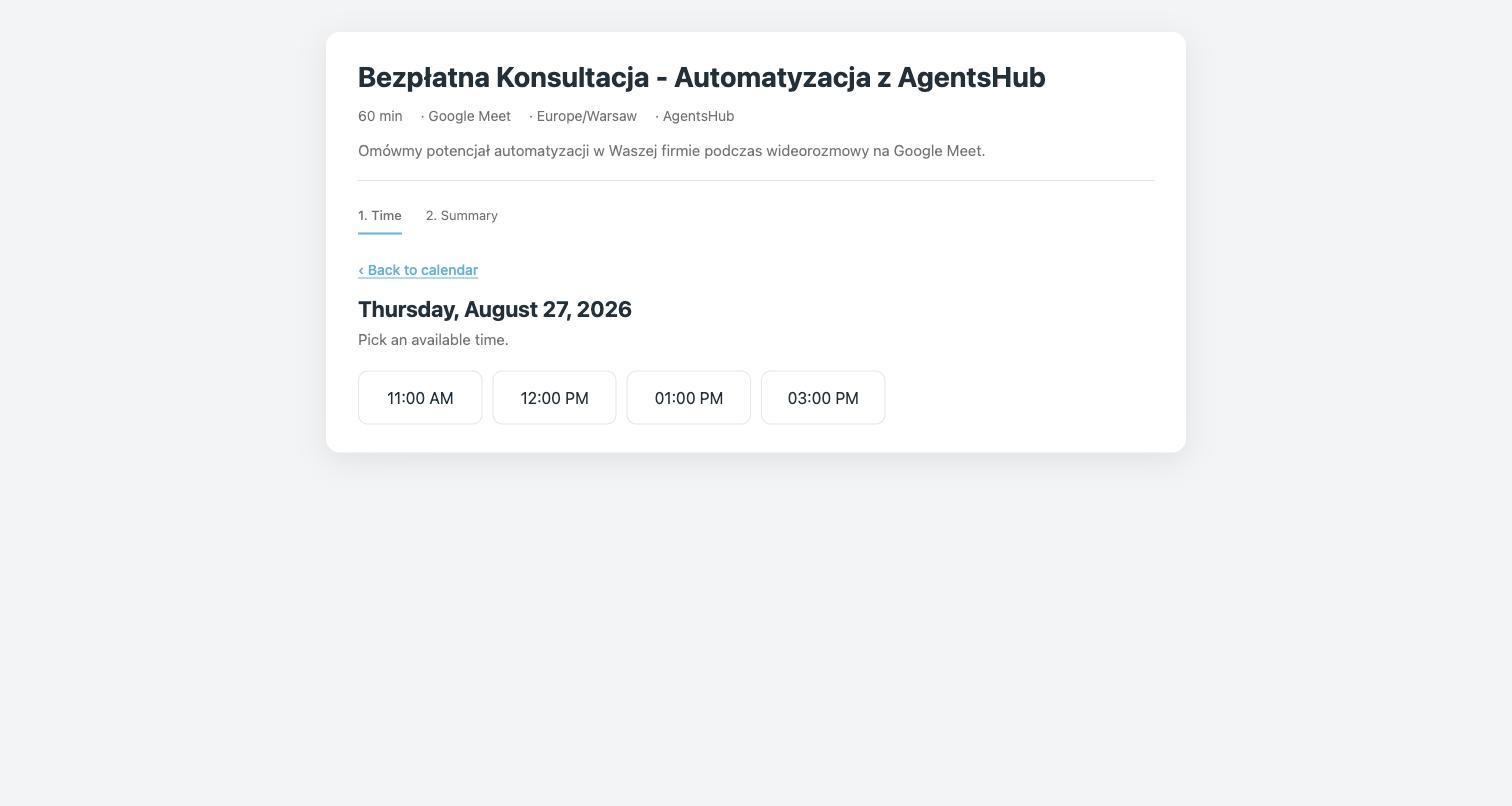
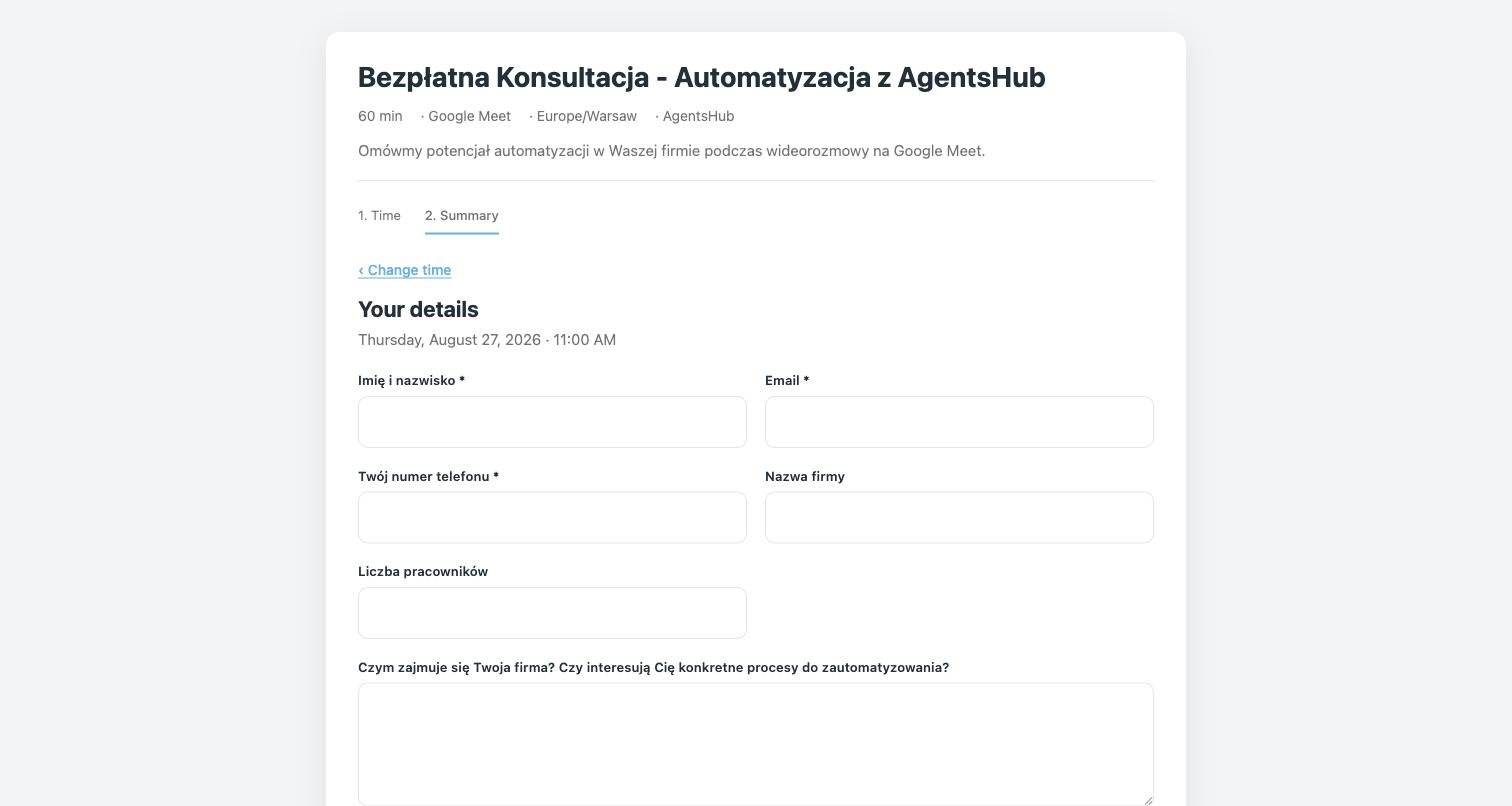
Prefer clicking to screenshots? Try the live demo.
How do I add a Calendly-style booking widget to a Laravel app?
Install laravel-booking with Composer, connect one calendar, describe your meeting in config/booking.php and paste one script tag where the widget should appear. The steps:
- Run
composer require zapol/laravel-bookingandphp artisan vendor:publish --tag=booking-config. - Pick a calendar provider and add its keys to
.env. Google is the default driver. - Set who organises the meetings:
BOOKING_ORGANIZER_NAME="Jane Doe" BOOKING_ORGANIZER_EMAIL=jane@example.com BOOKING_ORGANIZER_TZ=Europe/Warsaw BOOKING_MAIL_FROM=noreply@example.com BOOKING_MAIL_FROM_NAME="Example Inc" - Define an event type in
config/booking.php: duration, weekly availability windows, minimum notice, maximum advance, buffer and form fields. One event type, calledconsultation, is included. - Embed the script tag shown above, or open
https://your-app.tld/booking/embed?event_type=consultationto see the widget on a standalone page.
Free slots are computed in this order: weekly windows, minus anything before the minimum notice or after the maximum advance, stepped on the slot grid, minus slots that overlap busy time on the calendar. A second free/busy check happens at booking time, so two people cannot take the same slot.
After a booking, the attendee and the organiser get emails with an .ics attachment, in English or Polish. Reschedule and cancel links are included, and a Slack notification on every booking is optional.
Which calendars and video tools does laravel-booking support?
laravel-booking works with Google Calendar, Microsoft 365 / Outlook and any CalDAV server (iCloud, Nextcloud, Fastmail, Radicale). Video links come from Google Meet, Microsoft Teams or Zoom, or you set a static location such as an office address or a phone number.
You set the calendar driver once with BOOKING_CALENDAR_DRIVER (google, microsoft or caldav). The driver decides where busy time is read from and where the booking event is written. Each event type then declares its location:
location | What happens | Requires |
|---|---|---|
google_meet | Google creates a Meet link on the event | google driver |
teams | Exchange creates a Teams meeting on the event | microsoft driver |
zoom | A Zoom meeting is created and its join URL is stored on the event | Zoom Server-to-Server OAuth app, any driver |
custom | Static location_url and/or location_text | nothing |
null | No location | nothing |
The CalDAV driver has no native conference, so combine it with Zoom or a custom location. Other calendars and conference tools can be added by implementing the CalendarProvider or ConferenceProvider contract.
How does laravel-booking compare to Cal.com, Easy!Appointments, Laravel Zap and artisanpack-ui/bookings?
laravel-booking is a Composer package that adds a booking widget to a Laravel app you already run and keeps bookings as events on your own calendar. Cal.com is a hosted scheduling service, Easy!Appointments is a separate application you host, and Laravel Zap and artisanpack-ui/bookings are Laravel packages that keep schedules and bookings in your app's database. Calendly, which the package is often used instead of, is a hosted, proprietary service.
| Question | laravel-booking | Cal.com | Easy!Appointments | Laravel Zap | artisanpack-ui/bookings |
|---|---|---|---|---|---|
| What it is | Package for a Laravel application, with a ready booking widget | Hosted scheduling service. Its open source community edition, Cal.diy, is a separate Node.js application you host | Separate, self-hosted appointment scheduling application written in PHP | Package for a Laravel application: a schedule API (availabilities, appointments, blocked times) for your own models | Package for a Laravel application: services, providers, availability, bookings, admin screens and a public booking widget |
| How you install it | composer require zapol/laravel-booking, then publish the config file |
Sign up for the hosted service. Cal.diy: Node.js, Yarn and PostgreSQL, or Docker | Upload it to a web server with PHP 8.2+ and MySQL, edit config.php and follow the setup wizard. Docker images are also published |
composer require laraveljutsu/zap, publish its files and run php artisan migrate |
composer require artisanpack-ui/bookings and php artisan migrate. PHP 8.2+, Laravel 11, 12 or 13 |
| Own database or tables | No table required. An optional bookings table can be turned on | Hosted: nothing to run. Cal.diy: its own PostgreSQL database | Its own MySQL database | Yes: schedule tables in your app's database | Yes: sixteen booking tables in your app's database |
| Calendar sync | Google Calendar, Microsoft 365 / Outlook and CalDAV. One driver is active per install | Google Calendar, Outlook Calendar, Apple Calendar, Microsoft Exchange, CalDAV (listed as beta) and other calendar apps | Google Calendar and CalDAV. Microsoft 365: not documented | Not documented | Google Calendar, plus Microsoft 365 and Apple through separate driver packages, and read-only iCal feeds. CalDAV: not documented |
| Meeting links | Google Meet, Microsoft Teams or Zoom, or a static location | Cal Video, Google Meet, Zoom, Microsoft Teams and other conferencing apps | Not documented | Not documented | Not documented |
| Embedding the widget | One script tag on any page, including pages outside the Laravel app, or an iframe of the standalone page | Embed snippet in HTML or React: inline, floating button or pop-up | Booking page on your own domain. Official add-ons place it inside WordPress, Joomla and Drupal | Not documented: the README describes a PHP API and no user interface | Livewire component in a Blade view, or React and Vue components from npm. A script tag for other sites: not documented |
| License | MIT | Commercial hosted service with a free plan. Cal.diy: MIT | GPL-3.0 | MIT | MIT |
Checked on 27 November 2026 in each project's own README, documentation or website. "Not documented" means the sources below do not mention it.
- Cal.com: pricing, embed, calendar apps, conferencing apps, Cal.diy README
- Easy!Appointments: README, docs, website
- Laravel Zap: README
- artisanpack-ui/bookings: README
Which one to choose
- Choose laravel-booking when you already run a Laravel or October CMS app and all you need is a booking widget for meetings on your own calendar, with no new tables. It has no team scheduling, round-robin, payments or admin panel: availability and meeting types live in
config/booking.php. - Choose Cal.com when you want a complete hosted product with team scheduling such as round-robin and collective events, and with Stripe or PayPal payments, and you do not want to host anything. Cal.diy is the edition to self-host; its README says team and other enterprise features were removed and recommends it for personal, non-production use.
- Choose Easy!Appointments when you do not run Laravel, or when people who do not edit code need a back office with customers, services, providers and role-based accounts.
- Choose Laravel Zap when you are building your own booking interface and need the scheduling logic for your Eloquent models, such as doctors, rooms or employees, with the data in your own database.
- Choose artisanpack-ui/bookings when bookings should be records in your Laravel database, with services, providers, group, recurring and round-robin bookings and admin screens.
Does laravel-booking need a database table?
No. laravel-booking requires no database table: reschedule and cancel links are HMAC-signed tokens, and the calendar is the source of truth, so the package stores nothing.
Tokens are HMAC-SHA256 over a JSON payload keyed by APP_KEY and are valid for booking.token_ttl_days (60 days by default). If you want an audit log or analytics, an optional bookings table is available:
'persist_bookings' => true,php artisan vendor:publish --tag=booking-migrations
php artisan migrateIt is purely additive. Everything works without it.
Does it work with October CMS?
Yes. laravel-booking works inside October CMS, which ships the Laravel container, and the widget embeds in a Twig template with the same script tag:
<script
    src="/booking/widget.js"
    data-event-type="consultation"
    data-email="{{ form.email|e('html_attr') }}"
    data-fields-company="{{ form.company_name|e('html_attr') }}"
    data-lang="pl"
    defer></script>
<div id="booking-widget"></div>
The data-email, data-name and data-fields-<name> attributes pre-fill form fields. Pre-filled fields render read-only, so a qualification form on step 1 can pass its answers to the calendar on step 2 without the visitor typing them again. The routes are stateless and carry no web middleware, so they also work on hosts without sessions.
How do guests reschedule or cancel a booking?
Guests use the "Reschedule or cancel" link in their confirmation email, with no account or password. It opens a page where they can pick a new time or cancel the meeting, and it is valid for 60 days from the moment of booking by default.
Can I embed the booking widget on a non-Laravel page?
Yes. The widget can be embedded on a static or non-Laravel page, while the package itself still runs in a Laravel app that serves the script and the API. If the page is on another origin, allow booking/api/* in your Laravel app's CORS settings, or put /booking/embed in an iframe.
Is laravel-booking free?
Yes. laravel-booking is free and open source under the MIT license. The calendar, video and Slack services you connect to it have their own accounts and terms.